Leadengage Blog
Insights, Tips, and Updates on Text Automation and Follow Up Boss Integration
Why You Need to Change Your Email & SMS Messaging (And What to Do Instead)
Why You Need to Change Your Email & SMS Messaging (And What to Do Instead)
Let's be honest: most follow-up messages don't work.
You send an email or text to a lead, and… nothing. Silence. You follow up again, and still nothing. After a few attempts, you give up and move on — assuming the lead just wasn't interested.
But here's the truth — it's not your leads who are the problem. It's the way you're messaging them.
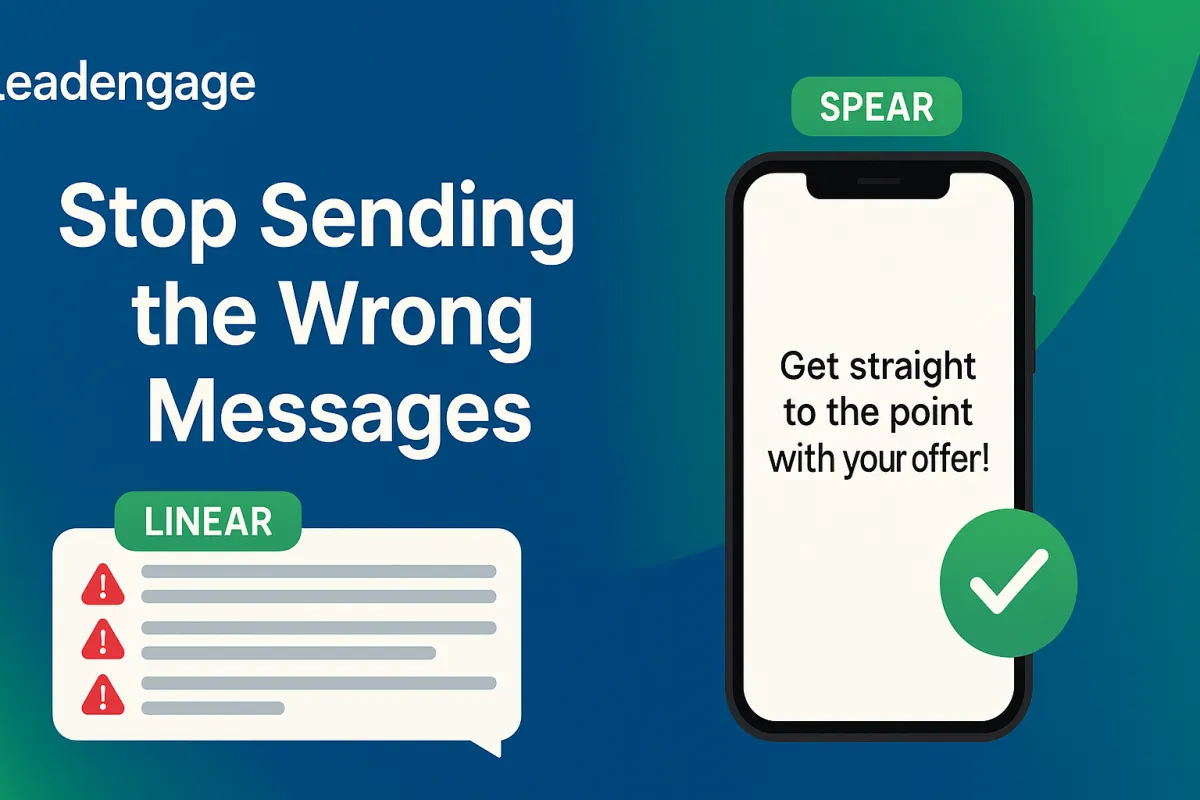
The Problem: You're Sending LINEAR Messages
Dan Martell, bestselling author and business coach, introduced a concept that perfectly describes why most outreach fails. He calls them LINEAR messages: Long, Impersonal, Not Expecting A Reply.
A LINEAR message looks like this:
"Hi [Name], my name is John Smith and I'm a real estate agent with XYZ Realty. I noticed you submitted a form on our website about homes in the area. I'd love to schedule a 30-minute call to discuss your home buying needs, learn about what you're looking for, share some of our current listings, and explore how we can best serve you in your home search. Please click the link below to book a time that works for you."
Exhausting to read, right? Now imagine receiving that as a text message.
LINEAR messages fail because they feel transactional, impersonal, and require a lot of effort from the recipient. They look like a sales email within the first two seconds — and people disengage immediately.
The Solution: SPEAR Messaging
The antidote to LINEAR messaging is what Dan Martell calls SPEAR: Short, Personal, Expecting A Reply.
SPEAR messages are brief, feel like they came from a real person, and end with a question that naturally invites a response. They don't sell — they start conversations.
What a SPEAR Message Looks Like
Instead of the lengthy email above, a SPEAR message might look like this:
"Hey [Name] — still looking for a home in [City], or did you find something?"
That's 13 words. No pitch, no pressure, no fluff. Just a genuine question that requires a simple answer. And because it's easy to respond to, people actually do.
Here's another example for SMS:
"Hey [Name] — quick question. Is buying still on your radar, or should I close your file?"
The 5 Key Principles of SPEAR Messaging
1. Keep It Short
Long messages signal "sales email." Short messages signal "real person." Aim for under 5 sentences in emails, and under 2 sentences in SMS. The shorter your message, the more personal it feels — and the easier it is to reply to.
2. Make It Personal
Reference something specific about the lead — their name, location, situation, or a recent interaction. Generic messages get ignored. Personalized ones get read.
3. Expect (and Invite) a Reply
Every SPEAR message should end with a simple, easy-to-answer question. Don't make your prospect do work — a yes/no or one-word answer is all they need. The goal is a reply, not a sale.
4. Don't Sell — Serve
Reframe your outreach as service, not sales. When you come from a place of genuine curiosity and service, your messages feel completely different. Ask yourself: "Am I trying to serve this person, or close them?"
5. Create Curiosity
Leave out some details to create intrigue. A message like "I found something you might want to see — want me to send it over?" gives just enough to make someone curious enough to respond. If you include everything in one message, there's no reason to reply.
A Simple 4-Message SPEAR Sequence
Here's a complete sequence you can use for your leads — applicable to both email and SMS:
Message 1 — The First Touch
Subject: [City] — quick question
"Hey [Name] — noticed you were looking in [Area]. Still searching, or did you find something?"
Message 2 — The Value Hook (Day 3)
Subject: Before it hits the market...
"Hey [Name] — just got access to a couple of off-market listings in your area before they go public. Want the details?"
Message 3 — The Social Proof (Day 7)
Subject: Saved a client $22K last week
"Hey [Name] — helped someone in [Area] save $22K on their purchase last week. Still in the market? I can walk you through how."
Message 4 — The Break-Up (Day 14)
Subject: Should I close your file?
"Hey [Name] — haven't heard back and totally understand if the timing isn't right. Should I close your file, or is this still on your radar?"
Why This Works
SPEAR messaging works because it respects the recipient's time, feels human, and makes it easy to respond. Instead of overwhelming someone with information and a heavy call-to-action, you're simply opening a door and asking if they want to walk through it.
When someone replies — even just to say "not right now" — you've started a conversation. And conversations convert.
Start Sending SPEAR Messages Today
If your email and SMS response rates are low, the fastest fix is to make your messages shorter, more personal, and question-focused. Stop sending brochures. Start sending conversations.
At Leadengage, we help businesses automate and personalize their follow-up messaging so every lead feels like a priority. Ready to see how SPEAR messaging can transform your outreach?

Pricing
Affordable Plans, Starting At Just $149
Get powerful tools and seamless integration for as low as $149. Choose the plan that helps your business grow.
Frequently Asked Questions
Everything you need to know about Leadengage
Leadengage is an AI-powered marketing and communication platform built specifically for real estate agents, teams, and brokerages. It supercharges Follow Up Boss with automated drip texting, Voice AI, social media message integration, broadcast campaigns, review automation, and dozens of other tools — all designed to help you convert more leads and close more deals from the database you already have.
Trusted by 500+ FUB teams across the U.S. and Canada.
Most of Leadengage's core features — including drip texting through FUB Automations, the FUB Embedded App, and social message integration — are built around Follow Up Boss. However, if you're not currently using FUB, our Platform Plan gives you access to a wide range of standalone features including AI automations, website and funnel builder, social media planner, email marketing, and more.
Leadengage is purpose-built for FUB users and delivers the most value when connected to your FUB account.
Getting started is simple! After signing up, you'll connect your Follow Up Boss account, complete a one-time A2P/10DLC number registration (required for SMS compliance), and install the Leadengage Embedded App in FUB. Most agents are up and running within 3 business days after A2P approval.
Visit leadengage.com/onboarding for our full setup guide, or reach out to our team for personalized help. For done-for-you setup and FUB Automation creation, we recommend working with Kee Technology Solutions.
Yes! Leadengage works in both the United States and Canada. Canadian agents and teams can use all core features including drip texting, social message integration, and the FUB Embedded App. Local Canadian phone numbers are used for messaging, and applicable carrier compliance rules apply.
A2P/10DLC registration is not required for Canadian numbers, but is available if you need to text U.S.-based numbers.
Leadengage offers four main plans to fit solo agents, small teams, and large brokerages:
- Messaging Plan — Automated drip texting and FUB integration for solo agents and small teams. Up to 5 users. Includes a monthly usage credit. 7-day free trial.
- Automation Plan — Everything in Messaging, plus AI automations, ad manager, social planner, and advanced tools. Up to 15 users. Includes a monthly usage credit. 14-day free trial.
- All-In-One Platform Plan — Best value for mid to large teams. Replaces multiple tools with one comprehensive platform. Up to 30 users. Includes a monthly usage credit. 14-day free trial.
- Enterprise — Custom plan for large teams and brokerages with unlimited users and custom usage. Contact us for details.
All plans are available monthly or annually. Annual plans save the equivalent of 2 months. Visit our pricing page for current rates and a full plan comparison.
Conversational AI is available as an add-on on all plans (select the AI Agents plan at checkout alongside your base plan). Leadengage Blue plans with iMessage phone service can be found at leadengageblue.com.
Yes! The Messaging Plan comes with a 7-day free trial, and both the Automation and Platform Plans include a 14-day free trial. No setup required to start.
Please note: any usage charges (SMS, calls, AI, etc.) incurred during your trial are not covered by included wallet credits and will be billed separately. The trial ends early if you'd like our team to submit your A2P/10DLC registration.
Free trials are not available for the Leadengage Blue (iMessage) or AI Agent add-on plans.
Yes — monthly plans have no long-term contracts and can be canceled at any time. Annual plans are billed upfront and provide access for the full year. If you request early cancellation on an annual plan, any refund will be prorated based on the monthly rate for months used.
Note that Leadengage Blue (iMessage integration) requires a 3-month minimum commitment. If you have questions about your plan or cancellation, contact our support team at leadengage.com/contact-us.
No. Leadengage charges one flat subscription fee per Follow Up Boss account — regardless of how many FUB users you have. All users within your FUB account get access to the Leadengage Embedded App and drip texting through FUB Automations at no extra cost. Leadengage platform access and the Call Connect feature are limited to the user count included in your plan (Messaging – 5 users, Automation – 15 users, Platform – 30 users).
The only other variable cost that may apply is if your team's messaging volume exceeds your plan's included monthly wallet credits. Many teams never exceed their included credits. Visit leadengage.com/pricing for credit amounts by plan and leadengage.com/usage for current usage rates.
We recommend limiting full platform access (leads, billing, and communications) to the team owner and admin/operations manager only.
Yes — Leadengage is purpose-built for Follow Up Boss. It includes an Embedded App within the FUB sidebar for quick access to features, enables automated drip texting directly inside your FUB Automations, and routes incoming messages from social media and your website chat widget into your FUB contact records. Most Leadengage features work through FUB notes, which are converted into SMS messages that appear as Inbox App Conversation texts in Follow Up Boss.
Not on Follow Up Boss? The Platform Plan gives you access to a full suite of standalone features.
Leadengage works inside Follow Up Boss by recognizing special command codes placed in your FUB Automation notes. To send a text, add the [SMS] command at the start of a note, followed by your message. For example:
When the automation runs, Leadengage sends the message through your Leadengage number, automatically filling in merge fields and removing the [SMS] tag. Texts are delivered during smart send windows:
- Daily send window: 9:15 am – 7:45 pm (your local time zone)
- Messages scheduled outside this window are held and sent the next morning at 9:15 am
- Texts are also held on holidays or on any days of the week you've set to skip in your FUB Embedded App "User" preferences, and delivered the next business day
You can also schedule texts with timed delays — [15min], [1hr], [2hr] — or at specific times of day such as [9:30am] or [1pm] using additional timing commands. For a full list of commands, visit leadengage.com/help.
Yes! Through our Leadengage Blue product, you can send and receive iMessages directly within Follow Up Boss. This gives your messages a more personal, blue-bubble appearance and can improve engagement by bypassing standard SMS carrier filtering.
iMessage integration is available as an add-on or standalone plan and requires a 3-month minimum commitment. Learn more at leadengageblue.com.
SMS messages are delivered in segments. One standard segment is up to 160 characters of plain text. If your message is longer than 160 characters, it's automatically split into multiple segments — and each segment counts toward your usage credits. A few things to keep in mind:
- Special characters — like smart quotes, em dashes, or emojis — trigger Unicode encoding, which reduces the per-segment character limit to 70 characters.
- Most standard conversational text messages fit within one or two segments.
- Usage credits are deducted per segment sent, not per message.
Tip: Keeping your messages concise and avoiding special characters helps stretch your included monthly credits further.
A2P (Application-to-Person) refers to automated text messages sent from software to mobile devices — which is exactly how Leadengage sends your drip texts and campaigns. 10DLC (10-Digit Long Code) is the carrier registration system required by all major U.S. carriers for A2P messaging.
When you sign up, you'll complete a one-time 10DLC registration to verify your business identity with the carriers. This is not unique to Leadengage — it's an industry-wide requirement for all SMS platforms. Registration improves message deliverability for your business and helps protect consumers from spam.
Our onboarding guide at leadengage.com/onboarding walks you through the full registration process.
Every Leadengage plan includes a monthly Wallet Credit that covers the cost of communications and AI features — including SMS, phone calls, voicemail drops, email, and AI-powered conversations. Credit amounts vary by plan — visit leadengage.com/pricing for a full breakdown.
Credits are deducted as you use features. Higher-tier plans carry lower per-use rates, so your credits go further dollar-for-dollar. Many agents and teams never exceed their included credits. You can monitor your usage balance in your account dashboard and view current rates at leadengage.com/usage.
Important: Usage charges incurred during your free trial period are not covered by wallet credits and will be billed separately.
If your team exceeds your included Wallet Credit, additional usage is billed automatically at standard carrier and AI processing rates. There are no surprise fees, no penalties, and no interruptions to your service — you simply continue as normal and pay only for the additional usage you actually consume.
Platform Plan members enjoy the lowest overage rates. You can review all usage pricing at leadengage.com/usage and monitor your balance anytime in your account dashboard.
Social Messages to Follow Up Boss
Leadengage currently supports one Facebook Business login to connect multiple pages, any Instagram Professional accounts connected to that Facebook page, and one Google login with as many Business Profiles. Messages from Facebook and Instagram appear directly in your FUB contact records, and you can reply using the Leadengage Embedded App or mobile shortcuts. Our auto-tagging feature lets you automatically route incoming social leads to specific team members.
Note: Personal social profiles are not supported.
Social Planner (Automation & Platform Plans)
The Social Planner lets you connect and post to multiple accounts simultaneously. Supported platforms:
- Facebook Business Pages & Reels
- Instagram Professional Accounts (Posts, Stories, and Reels)
- Google My Business (up to 10 locations)
- LinkedIn Pages and Profiles
- TikTok personal profiles (business accounts coming soon)
You can post immediately or schedule content in advance, and add an initial follow-up comment on Instagram and Facebook posts.
No limit. You can add the Leadengage Chat Widget to as many websites or pages as you like. You can also create and customize multiple chat widgets — each with different branding, messaging, or lead routing — for different sites, pages, or purposes. Conversations that start through the chat widget forms are converted to SMS and routed into Follow Up Boss.
Not by default — you stay in control of your conversations. Leadengage handles the sending and timing of your drip texts based on your FUB Automations, but when a lead replies, you decide how to respond. You can manage replies directly in Follow Up Boss, use the Leadengage Embedded App, or respond from the mobile app.
However, if you'd like AI to handle initial conversations on your behalf, you can add Conversation AI as an optional add-on. Conversation AI can qualify leads, answer common questions, and book appointments — 24/7 without any manual involvement. Visit our pricing page for add-on details.
Conversation AI is an optional add-on that uses AI to respond to incoming messages on your behalf. When a lead replies to a drip text or reaches out through any of your connected channels, the AI takes over the conversation — qualifying the prospect, answering frequently asked questions, and booking appointments when the lead is ready.
AI usage is billed from your monthly wallet credits at variable rates based on the model selected. Visit leadengage.com/pricing for add-on pricing and leadengage.com/usage for full AI rate details.

Hear From Our Clients

Integrating FUB and leadngage has been a game changer for my business. It automates all my outbound texting, and has helped me convert tons of leads!
Eileen H
Keller Williams

Before adding Leadngage to Follow Up Boss, we were missing inbound conversations and opportunities from our website, social media, and text inquiries because we were juggling multiple apps. Now, everything is managed seamlessly within Follow Up Boss, all in one place.
Jeremy S
EXP
Our team is thrilled with Leadngage. We've saved money by no longer needing VAs to copy and paste text templates to new leads—everything is automated now.
Brian G
Remax