How Real Estate Agents Are Automating 5-Star Google Reviews After Every Closing
How Real Estate Agents Are Automating 5-Star Google Reviews After Every Closing
You just helped a family close on their dream home. Everyone is emotional, grateful, and thrilled. It is the single best moment to ask for a Google review — and it is also the exact moment most agents forget to do it.
That is the problem reputation automation solves. Leadengage automatically sends a review request text the moment a deal closes, capturing that peak-enthusiasm window before life moves on and the moment passes.
Here is exactly how it works and why agents who use it consistently out-rank the competition on Google.
Why Google Reviews Matter More Than Ever for Real Estate Agents
Buyers and sellers Google you before they call you. According to BrightLocal's 2025 Local Consumer Review Survey, 87% of consumers read online reviews for local businesses, and real estate is one of the highest-scrutiny categories. A profile with 4 reviews and a 4.2-star average loses business to an agent with 47 reviews and a 4.9-star average — even if the lower-rated agent is objectively better at their job.
Reviews also feed directly into Google's local search algorithm. More reviews, more recency, higher rating — you show up higher in map packs and local searches. That means organic leads finding you before they find anyone else.
The challenge is not getting clients to write reviews. Most happy clients would write one. The challenge is remembering to ask at the right time — and doing it consistently across every closing, every quarter, every year.
What Does Real Estate Review Automation Actually Do?
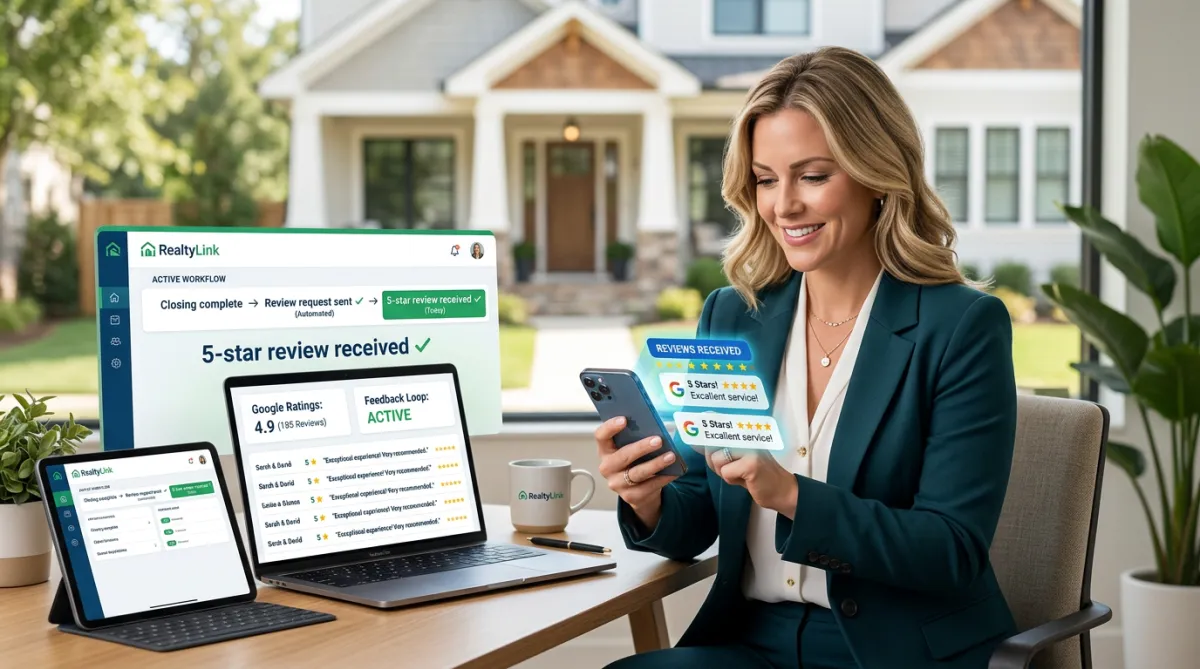
Leadengage reputation automation handles the entire review-request process without any manual follow-up from you or your team. Here is the basic flow:
- Closing trigger fires — A pipeline stage change, tag applied in your CRM, or a workflow trigger marks the deal as closed.
- Automated review request sends — Leadengage texts (and optionally emails) your client a personalized message thanking them and including a direct link to your Google Business Profile review page.
- Follow-up nudge (optional) — If the client did not click within 48 hours, a second friendly reminder goes out automatically.
- Review lands on Google — Your star rating climbs. No spreadsheet. No sticky note. No awkward ask.
Every message goes out under your name, in your voice, with a one-tap link that drops the client directly onto the review form. Friction is removed entirely.
How Should a Review Request Text Be Worded for Real Estate?
The best review request texts are short, warm, and personal. They reference the transaction and make the ask feel natural — not transactional. A well-timed message sent one to two hours after closing keys are handed over typically performs best.
An example that consistently gets replies:
"Hey [First Name]! Congrats again on the new home — it was such a pleasure working with you. If you have 60 seconds, I'd love it if you left us a Google review. It means the world to our team: [link]. Thanks so much! — [Agent Name]"
Leadengage stores these templates and sends them automatically. You set it once. It runs on every closing.
Timing Is Everything — Why Automation Gets It Right Every Time
Manual review requests fail because timing slips. An agent closes three deals in a week, celebrates with clients at the table, and then gets buried in new leads, appointments, and paperwork. By the time they remember to send a review request, it is Thursday of the following week. The client has moved on. The emotional peak is gone.
Automation removes the dependency on memory. The moment your pipeline stage updates to Closed in your CRM, the workflow fires. The client gets a warm, on-brand text within minutes. The request arrives while they are still smiling and talking about the house.
For teams and brokerages, this is especially powerful. You do not have to train or remind every agent to send review requests manually. The system handles it uniformly across every agent, every deal, every time.
What About Negative Reviews?
A common concern agents raise is: "What if an unhappy client leaves a bad review?"
Leadengage's reputation workflow can be configured to route feedback intelligently. If a client responds with less-than-enthusiastic feedback before they hit the public Google form, the workflow can notify you privately and offer a chance to resolve the issue first — rather than sending them straight to a public platform. This is called a feedback filter, and it gives you a chance to make things right before the review goes live.
Done correctly, this approach actually increases your rating over time because you are capturing happy clients consistently and giving yourself the opportunity to address concerns privately before they go public.
Real-World Result: What Agents Are Seeing
Agents who implement review automation through Leadengage typically see three changes within 60 to 90 days:
- A meaningful jump in total Google review count — most go from single digits to 20, 30, or 50-plus reviews within a few months of consistent closings.
- Improved local Google search visibility, with more appearances in the local map pack for real estate-related searches in their market.
- New inbound leads referencing their Google profile as the reason they reached out.
The agents who see the biggest results are teams and brokerages with multiple agents closing deals regularly. At scale, the review count compounds quickly — and so does the search visibility.
Setting This Up Inside Leadengage
The reputation automation inside Leadengage is built on top of the same workflow engine that powers your drip texting and AI automations. You connect your Google Business Profile, set your review request template, define your closing trigger, and turn it on.
From there, every closing automatically becomes a review opportunity. The system logs which contacts were sent requests, tracks link clicks, and gives you visibility into how many reviews came from automated outreach versus organic asks.
Leadengage integrates natively with Follow Up Boss and other leading CRMs, so the closing trigger can fire directly from a pipeline stage change inside your existing CRM setup — no extra tools, no manual data entry, no separate software to manage.
FAQ: Real Estate Review Automation
When is the best time to send a review request to a real estate client?
The best window is one to four hours after closing, while the client is still emotionally engaged and celebrating. Automated workflows fire at exactly this moment based on your pipeline trigger, which is why they consistently outperform manual requests sent days later.
Can I customize the review request text for my brand?
Yes. Leadengage lets you create custom SMS and email templates for review requests. You can personalize with the client's first name, the property address, and your agent name — all pulled from your CRM automatically.
What happens if a client leaves a negative review?
With a feedback filter configured, clients who indicate dissatisfaction privately are routed to your team for follow-up before reaching the public Google form. This gives you the chance to resolve concerns first and protects your public rating.
Does review automation work for the whole team or just solo agents?
Both. Solo agents benefit from never forgetting to ask. Teams and brokerages benefit from consistent, uniform review collection across every agent without training or reminders. The system runs automatically on every closing regardless of who handled the deal.
How does Leadengage connect to Google Business Profile for review automation?
Leadengage connects to your Google Business Profile and generates a direct review link for your location. That link is embedded in every review request message, so clients land on your review form with one tap — no searching for your profile required.
Ready to turn every closing into a 5-star Google review automatically? Leadengage reputation automation handles the entire process — from the closing trigger to the review link delivery to the follow-up nudge — so your rating grows on autopilot while you focus on your next deal.
See how Leadengage reputation automation works → leadengage.com
