How Real Estate Agents Are Using Automated Calendar Booking to Fill Their Schedule Without the Back-and-Forth
How Real Estate Agents Are Using Automated Calendar Booking to Fill Their Schedule Without the Back-and-Forth
Here's a scenario most agents know too well: A buyer texts you at 9 PM asking to see a home. You reply the next morning. They respond at lunch. You go back and forth three more times trying to land on a day and time that works. By the time you confirm the showing — two days later — they've already toured the property with someone else.
That's not a lead problem. That's a scheduling problem. And it's quietly costing real estate agents deals every single week.
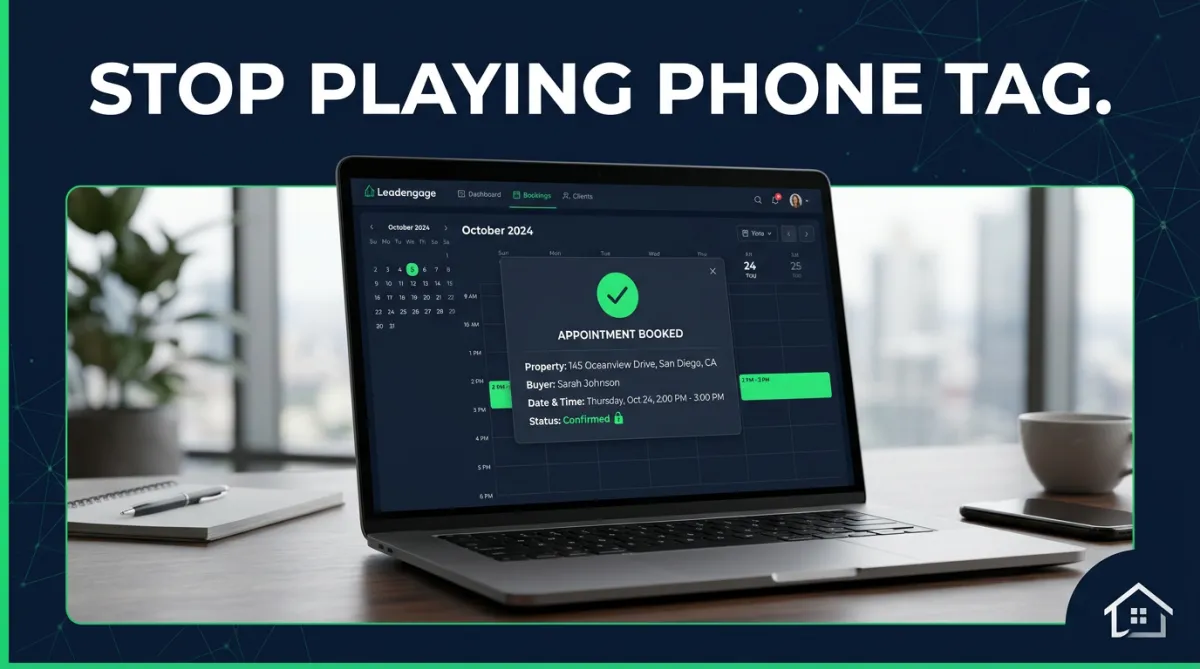
Automated calendar booking solves this. When a buyer or seller is ready to meet, they click a link, pick a time, and get an instant confirmation — no phone tag, no delays, no dropped conversations. Here's how real estate agents are using Leadengage's calendar and appointment booking tools to keep their schedule full and their pipeline moving.
Why Manual Scheduling Is Killing Real Estate Momentum
Speed matters in real estate. Studies consistently show that leads contacted within five minutes are dramatically more likely to convert than those who wait an hour. The same logic applies to appointments. When a buyer or seller has to wait through two days of scheduling back-and-forth, their momentum cools — and so does their interest.
Manual scheduling also creates gaps that most agents don't even notice. An after-hours text that doesn't get seen until morning. A voicemail that was never returned. A lead who clicked away from your listing page because there was no obvious next step. All of these are appointments that never happened.
The fix is simple: let the lead choose their time, and let the system confirm it automatically.
How Leadengage Calendar Booking Works for Real Estate Agents
Leadengage includes a built-in calendar and appointment booking system designed for real estate workflows. Here's what the experience looks like from a lead's perspective — and yours.
Step 1: The Lead Gets a Booking Link
You can share a booking link in a text message, embed it on your website, add it to a landing page, or include it in a follow-up sequence. When a lead clicks, they see your available time slots — pre-set by you — and pick one that works for them.
This works especially well when paired with your existing Leadengage SMS drip campaigns inside Follow Up Boss. Instead of a generic follow-up text that says "let me know when you're free," you send a text with a direct booking link. The call-to-action is clear, the friction is zero, and the appointment happens without you lifting a finger.
Step 2: The Appointment Confirms Automatically
The moment a lead books, Leadengage fires a confirmation text and email. The contact record in your CRM is updated instantly — no manual data entry, no copying appointment details across systems. Leadengage integrates natively with Follow Up Boss and other leading CRMs, so everything flows in one direction: into your pipeline.
Step 3: Pre-Appointment Follow-Up Runs on Autopilot
This is where most agents leave money on the table. The gap between booking and showing is a critical trust-building window — and most agents let it sit empty. Leadengage lets you trigger an automated pre-appointment sequence the moment a booking is confirmed. That might look like:
- A same-day confirmation text with the property address and showing details
- A 24-hour reminder text
- A morning-of check-in message with parking info or a Google Maps link
- A post-showing follow-up that fires 2 hours after the appointment time
All of it runs automatically. You show up to the showing. The system handles everything else.
What Types of Appointments Can Real Estate Agents Automate?
Leadengage's calendar booking tools aren't limited to buyer showings. Here's how agents and teams across different real estate scenarios are using automated scheduling:
Listing Appointments for Seller Leads
When a seller lead comes in from a cash offer page, a Facebook ad, or a text-for-info campaign, they're sent directly to a booking link for a listing consultation. No assistant required. The seller picks a time, you get a notification, and your pre-listing sequence starts automatically.
Buyer Consultations for New Leads
Instead of sending a new buyer lead to a generic follow-up drip, agents route them to a buyer consultation booking page first. This filters serious buyers from casual browsers immediately — and gets qualified buyers on your calendar within hours of their first contact.
Open House Follow-Up Bookings
After an open house, Leadengage sends a follow-up text to every attendee who came through. That message includes a direct link to book a private showing or buyer consultation. Hot leads convert same-day. Warm leads get nurtured. The whole sequence is triggered automatically from the open house contact list.
Post-Closing and Anniversary Check-Ins
Your past clients are your most valuable referral source — but most agents let that relationship go cold. Leadengage lets you automate anniversary check-ins, market update calls, and referral conversations by building them into recurring calendar sequences that fire without any manual intervention on your part.
Does This Actually Work in a Real Follow Up Boss Setup?
Yes — and this is where Leadengage really earns its place in a real estate tech stack. Because Leadengage integrates natively with Follow Up Boss, every booked appointment flows directly into the contact's activity timeline. Your team can see what was booked, when, and what automated sequences are running — all from inside FUB.
For team leads and ISA setups, this is a game changer. Your ISA doesn't have to manually confirm appointments or chase leads for scheduling details. Leadengage handles confirmation and pre-appointment nurturing. The ISA's job becomes managing exceptions, not executing every step. That means more conversations, more appointments, and more leverage from the same headcount.
You can also learn more about how Leadengage keeps your pipeline moving in our post on building SMS drip campaigns that nurture buyer leads on autopilot, and how Managed Agents automate the repetitive tasks that slow real estate teams down.
The Concrete Result: More Appointments, Less Effort
Here's what the math looks like for a busy agent. If you're currently generating 40 leads per month and converting 15% of those to appointments manually, you're booking about 6 appointments. Add automated booking links to your follow-up sequences, embed a calendar on your website and listing pages, and automate post-open-house follow-up — and that conversion rate climbs. Even a 5–7 percentage point improvement means 2–3 additional appointments per month. Multiplied over a year, that's 24–36 extra conversations you weren't having before, at zero additional cost in time or staff.
That's not a small number in real estate.
Frequently Asked Questions
Can Leadengage automatically book real estate showings without agent involvement?
Yes. Leadengage's calendar booking automation lets buyers and sellers self-schedule directly from a link or landing page. When a time is selected, the appointment is confirmed, a follow-up text fires automatically, and the event syncs to your Follow Up Boss contact record — no back-and-forth required.
Does Leadengage calendar booking integrate with Follow Up Boss?
Yes. Leadengage integrates natively with Follow Up Boss and other leading CRMs. When an appointment is booked, the contact record is updated, notes are added, and automated follow-up sequences can trigger — all without manual data entry.
What types of real estate appointments can be automated with Leadengage?
Leadengage supports automated booking for showings, buyer consultations, listing appointments, open house follow-ups, lender referral calls, and post-closing check-ins. Any recurring appointment type can be built into a bookable calendar.
What happens after a lead books an appointment through Leadengage?
The moment an appointment is confirmed, Leadengage fires a confirmation text and email to the lead, updates the contact record in your CRM, and can trigger a pre-appointment drip sequence — automatically keeping the lead warm leading up to the meeting.
Can I embed a Leadengage booking calendar on my real estate website?
Yes. Leadengage calendar widgets can be embedded on your website, funnel pages, and listing pages — turning every page visit into a potential appointment without any manual follow-up from your team.
Ready to Stop Playing Phone Tag?
Leadengage's calendar and appointment booking tools are built for real estate agents, teams, and brokerages who want a full schedule without the manual grind. Set up your booking workflows, embed your calendar anywhere, and let the system fill your pipeline automatically.
Explore Leadengage calendar booking and automation — start today at leadengage.com
