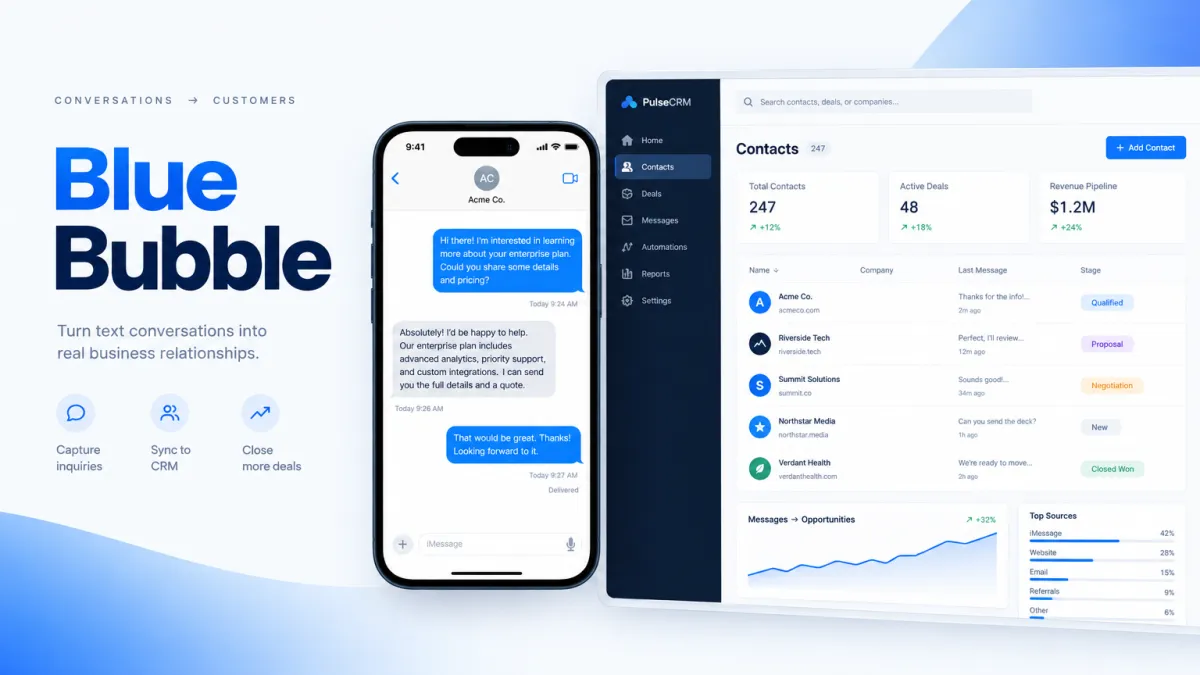
iOS 26 Is Hiding Your CRM Texts — Switch to Blue Bubbles
If your team is following up with leads by SMS through your CRM, some of those messages are now landing in a folder your prospects never check — silently, with no notification, no lock-screen preview, and no sound. Apple's iOS 26 introduced a "Screen Unknown Senders" filter that routes texts from unrecognized numbers into a secondary inbox. Your lead never sees an alert. Your follow-up disappears.
The fix isn't a new SMS strategy. The fix is switching to blue-bubble messaging — the same iMessage format your leads use to text their friends and family.
What iOS 26's Unknown Sender Filter Actually Does
Apple launched iOS 26 on September 15, 2025, and with it came a new message filtering system called "Screen Unknown Senders." When a user enables this feature, any SMS from a number not saved in their contacts is moved out of the main inbox and into a hidden "Unknown Senders" folder.
Here's what that means in practice for your business:
- No lock-screen notification. The message arrives silently. Your lead has no idea you reached out.
- No audio or haptic alert. Even if they're holding their phone, nothing happens.
- No badge in the main inbox. A small badge appears on a secondary drop-down menu — easy to miss, easy to ignore.
- Legitimate messages get buried. Even a perfectly compliant, personalized follow-up SMS can end up in the same folder as phishing attempts and spam.
The filter is off by default, but adoption is climbing. Researchers tracking iOS 26 rollout expect a majority of iPhone users to have it installed by the end of 2026. For brands that have already been affected, the numbers are stark: one marketing platform reported a 30–40% drop in clickthrough rate and conversion rate for messages landing in the Unknown Senders folder.
That is not a rounding error. That is a significant portion of your follow-up pipeline quietly going dark.
Why iMessage Bypasses This Entirely
iMessage — the blue-bubble format — does not travel over the carrier SMS network. It travels over Apple's own servers, peer-to-peer. iOS 26's Unknown Sender filter applies to SMS and MMS messages from the carrier network. It does not apply to iMessages.
What that means for your business outreach:
- Blue bubbles arrive in the main Messages inbox with a full notification, sound, and lock-screen preview — exactly like a text from a real person.
- Read receipts are on by default, so your team knows the moment a prospect opens the message.
- No A2P 10DLC registration required. iMessage bypasses the carrier registration system entirely.
- No carrier spam filtering. Your message is delivered as sent, every time.
This isn't a workaround. It's a structural advantage — one that exists precisely because iMessage was designed for personal, trusted communication between real people. When your business sends a blue bubble, it looks and feels exactly like that.
The Response Rate Gap Is Real
Even before iOS 26 made SMS invisible for a growing share of your audience, the engagement numbers already told the story. Blue-bubble iMessages have been generating 30–45% response rates in business outreach, compared to 5–10% for green-bubble SMS sent through carrier networks. That gap exists because recipients engage with iMessage the same way they engage with personal texts — not with the skepticism they reserve for business promotions.
iOS 26 has widened that gap further. SMS from unknown senders now faces a two-layer obstacle: carrier spam filtering on the way in, and the Unknown Sender folder once it arrives. iMessage faces neither.
What This Means for Your CRM Follow-Up Workflow
Most CRMs — including the one your team probably uses today — send SMS natively. That means every automated follow-up, every lead nurture sequence, every appointment reminder is going out as a green bubble over the carrier network. As iOS 26 adoption grows, an increasing percentage of those messages will never be seen.
The practical steps your team should take right now:
- Audit your current SMS volume by iPhone recipients. iPhone users make up a majority of US smartphone users. Understand what percentage of your lead list is at risk.
- Identify which CRM sequences are most affected. Cold outreach, speed-to-lead texts, and first-touch follow-ups are the highest-risk touchpoints because those senders are not in the lead's contacts yet.
- Add a blue-bubble channel to your CRM workflow. Blue-bubble texting tools that connect directly with your CRM let you send iMessage-style messages from within the same automations and pipelines you already use — without rebuilding your entire workflow.
- Replace green-bubble cold follow-ups with blue-bubble outreach. First-touch and early-stage follow-up is where iOS 26 hits hardest. It's also where blue bubbles create the biggest response rate lift.
How Leadengage Blue Fits Into Your Stack
Leadengage Blue connects directly with your CRM so your team can send blue-bubble-style messages from inside the workflows you're already running — no separate platform, no copy-pasting numbers, no manual outreach. When a new lead comes in, your follow-up goes out as a conversation, not a marketing blast. Replies come back into your CRM so nothing falls through the cracks.
The result is a texting experience that feels personal on the receiving end — which is exactly why it gets replied to.
iOS 26 didn't change what works in sales messaging. It just made the gap between SMS and blue-bubble texting impossible to ignore.
Frequently Asked Questions
Does iOS 26's Unknown Sender filter block iMessages?
No. The iOS 26 "Screen Unknown Senders" feature applies only to SMS and MMS messages traveling over the carrier network. iMessages (blue bubbles) travel over Apple's own servers and are delivered to the main inbox with full notifications, regardless of whether the sender is in the recipient's contacts.
Is iOS 26 filtering turned on by default?
No — the filter is off by default and users must enable it manually in Settings. However, adoption is expected to grow significantly as more users update to iOS 26 and beyond. Businesses that wait will face growing deliverability issues over time.
What response rates can blue-bubble business texting achieve?
Industry benchmarks cite 30–45% response rates for blue-bubble iMessage outreach in business contexts, compared to 5–10% for carrier SMS. Rates vary by industry, message quality, and timing — these figures should be treated as benchmarks, not guarantees.
Do I need A2P 10DLC registration to send blue-bubble messages?
No. A2P 10DLC registration applies to SMS messages sent over US carrier networks. iMessage operates on Apple's network and does not require A2P registration, which also means your messages are not subject to carrier-level spam filtering.
Can I send blue-bubble messages from my existing CRM?
Your CRM's native texting is almost certainly SMS-only. To send blue-bubble iMessages, you need a connected tool like Leadengage Blue that adds iMessage-style messaging to your existing CRM workflows without requiring you to replace your current setup.
How quickly does iOS 26 affect my SMS deliverability?
The impact grows as more users enable the Screen Unknown Senders feature. Teams selling to consumer markets with high iPhone penetration — real estate, home services, agencies — should prioritize the switch sooner. B2B teams with enterprise contacts may see a slower rollout but are not immune as iOS adoption climbs.
Bottom Line
iOS 26 is not the end of business texting. It's the end of sending cold follow-ups as green bubbles and expecting them to be seen. The teams that adapt now — by adding blue-bubble messaging to their CRM workflows — will have a significant and compounding advantage over those that don't.
If your leads aren't replying to your current SMS sequences, some of them may not even know you texted.
See how Leadengage Blue makes blue-bubble CRM texting simple. Book a quick demo and we'll show you exactly how it fits into your existing workflow.
