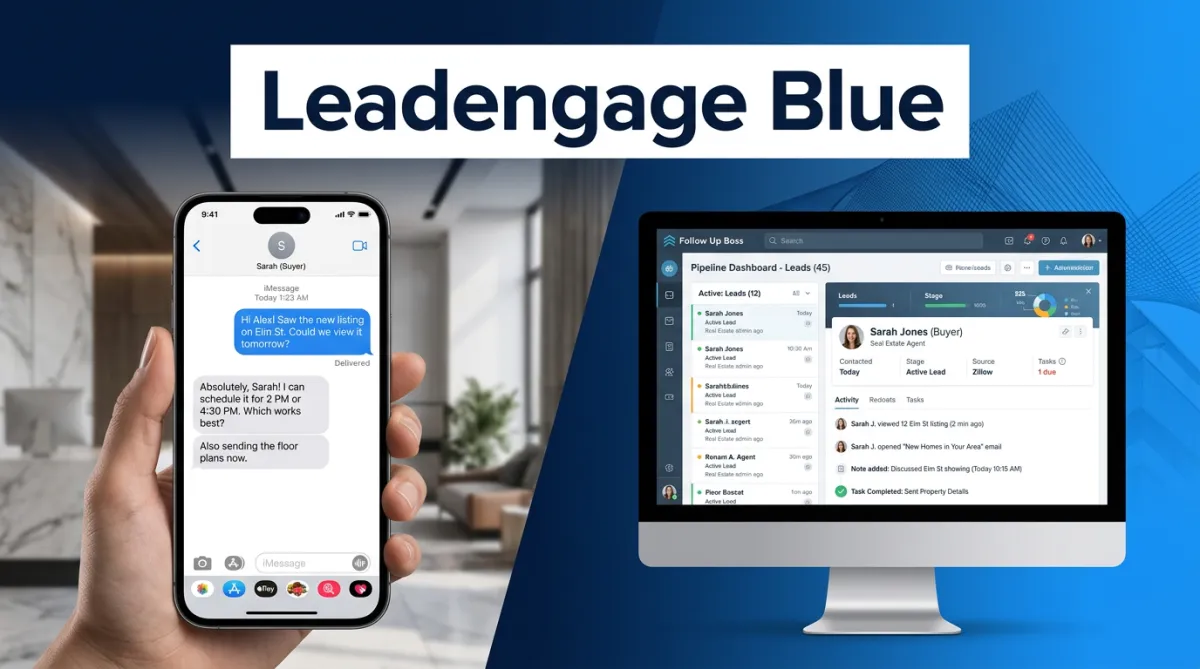
Why Real Estate Agents Are Switching to iMessage (And Getting 2x the Responses)
Here is a scenario every agent knows: you send a follow-up text to a warm lead who just toured a home. A day goes by. No reply. You send another. Still nothing. Meanwhile, that lead is responding to the other agent who felt more personal and more real.
The problem usually is not your message. It is the medium. Standard SMS, especially from an automated platform, can look exactly like a marketing blast. And buyers and sellers in 2026 are very good at ignoring those.
That is why a growing number of real estate teams are making a deliberate switch to iMessage for lead follow-up and seeing response rates more than double in the process. Leadengage Blue is the tool that makes this possible inside Follow Up Boss, without changing your existing workflows.
What Makes iMessage Different for Lead Follow-Up?
When a message arrives as a blue bubble on a lead's iPhone, several things happen that simply do not happen with standard green-text SMS.
First, it bypasses carrier spam filtering. Standard SMS runs through carrier systems that scan for automation signals. iMessages travel through a different infrastructure and land directly with no unknown sender flag and no filtering delay. Second, read receipts are visible. You know the moment a lead has seen your message. That is intelligence you can act on right away. Third, it looks like a real text from a real person. Blue bubbles are what people get when a friend messages them. That psychological familiarity lowers the guard most people put up with automated outreach. Fourth, rich media works natively. Listing photos, voice memos, floor plans, and videos are all delivered in full quality, the same way they arrive from a friend's phone.
What Do the Numbers Actually Look Like?
Based on Leadengage Blue user data, agents switching from standard SMS to iMessage-based follow-up see an average increase in response rates of 81 to 116 percent. To put that plainly, if your current drip sequences are getting a 20 percent reply rate, you could be looking at 36 to 43 percent with the same messages sent via iMessage.
In appointment-setting contexts, Leadengage Blue users have seen demo show rates climb from 48 to 62 percent simply by switching the messaging channel for their warm nurture sequences. One example: a client in a high-consideration sales environment moved their inbound lead conversion from 20 to 40 percent after integrating iMessage follow-up. Real estate has proven similarly responsive because the transaction is deeply personal. Buying or selling a home is emotional, and a message that arrives looking like it came from a real person's phone hits differently than a green-text blast from an unknown number.
How Does Leadengage Blue Work Inside Follow Up Boss?
Leadengage Blue fits directly into the workflows agents already have rather than asking them to build a parallel system.
Once your account is active, typically live within 24 to 48 hours of provisioning your dedicated number, your iMessage capability is accessible directly from the Follow Up Boss inbox. You get a dedicated embedded app, two-way messaging that syncs to your FUB contact records, and the ability to trigger iMessage sequences through your existing FUB Action Plans.
Here is what a practical warm-buyer workflow looks like in practice.
A new buyer lead comes in from Zillow and lands in Follow Up Boss. A FUB Action Plan fires and triggers a Leadengage Blue iMessage: Hey Sarah, I noticed you were looking at 412 Maple Creek Drive. It is still available and it is a great one. Want me to set up a showing? The lead sees a blue bubble with no unknown sender and no spam flag. They read it, and you see the read receipt in real time. They reply. Now you are in a two-way iMessage conversation, automatically logged to their FUB contact record.
If the lead is an Android user or iMessage is not available on their number, Leadengage Blue automatically falls back to standard SMS from the same phone number. No disruption, no gap in coverage, no manual intervention required.
What Are the Compliance and Sending Limits?
iMessage operates under Apple's infrastructure, which governs compliance through its own built-in controls. Leadengage Blue adds an additional layer of reputation management on top of that.
The practical guidelines are straightforward. Start up to 30 new conversations per day per phone line. Reply threads do not count against this limit, so if 15 people respond from yesterday's sends, those conversations continue freely. Maintain a 30 percent or higher reply rate. If your rate drops below 15 percent, the system automatically slows message delivery to protect your line's reputation. That is a signal to revisit your first-message copy, not a reason to panic. Keep the first message short, personal, and question-based. Avoid links in the opener. Write it like you picked up your own phone and typed it yourself, because that is exactly how it should read.
If you need higher daily volume, additional phone lines are available. Each line expands your daily capacity without diluting reputation on your primary number.
Is Leadengage Blue the Right Fit for Your Business?
Leadengage Blue is purpose-built for warm, high-intent leads, not mass blasting cold databases. If you are working a database of active prospects, running a team with ISAs doing appointment setting, or running listing campaigns to a targeted seller farm, iMessage follow-up is a meaningful upgrade at exactly the right stage of your funnel.
The agents seeing the best results use iMessage at the moment intent shows up: once a lead has toured a home, submitted an inquiry, attended an open house, or responded to an initial campaign. That is when the blue bubble closes the gap between automated outreach and a real conversation that actually converts.
Ready to see what iMessage follow-up looks like inside your Follow Up Boss account? Visit leadengageblue.com to explore pricing and get started.
Frequently Asked Questions
Can I send iMessages directly from Follow Up Boss?
Yes. Leadengage Blue adds a dedicated iMessage channel to your Follow Up Boss inbox. You can send, receive, and automate iMessages without leaving FUB, and every conversation syncs automatically to the contact record.
What happens if my lead does not have an iPhone?
Leadengage Blue automatically detects whether a lead's number supports iMessage. If it does not, the message falls back to standard SMS from the same phone number. Your lead receives the message either way, and your workflow continues without any interruption.
Can I send photos, videos, and voice memos through iMessage?
Yes. Conversations through Leadengage Blue support photos, videos, voice memos, and rich attachments delivered in full quality, just like a native iPhone conversation. Automated workflows can also trigger media sends.
How many new conversations can I start per day?
The recommended daily limit is up to 30 new outbound iMessage conversations per phone line. Replies to existing threads do not count toward this limit. Additional phone lines are available for higher daily volume needs.
How quickly can I get started?
Most agents are live within 24 to 48 hours once a dedicated number is provisioned. Onboarding includes a 45-minute setup session covering integrations, message copy, and workflow configuration. Visit leadengageblue.com to get started today.
